


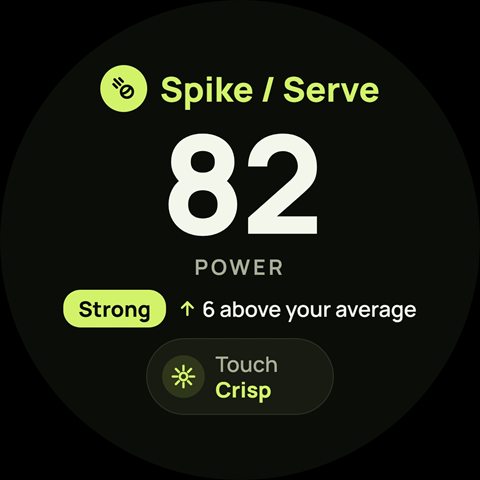
Spike / Serve
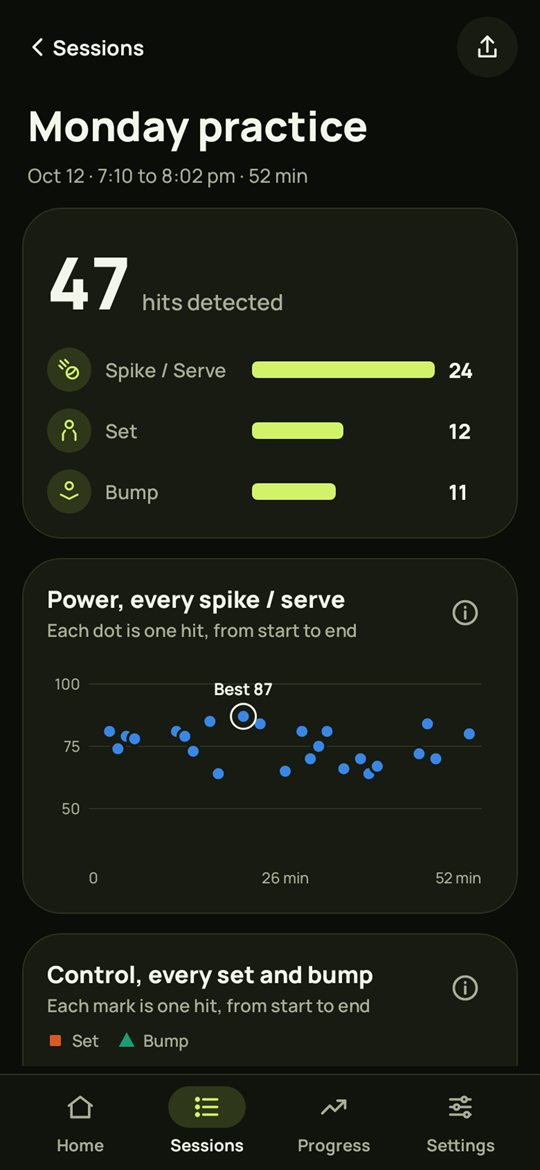
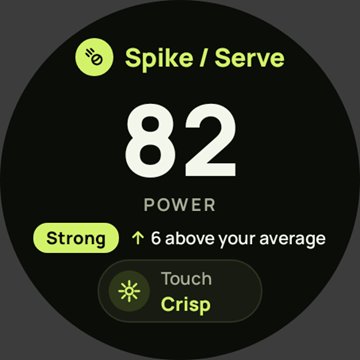
PowerHow fast your arm swings into the ball. Each hit is marked strong, typical or soft, compared with your own average.
Coming soon to Google Play · Wear OS
Spikr uses the motion sensors in your smartwatch to count every hit, tell you what it was and score it. Your phone keeps every session, so you can watch yourself improve.
Free to download, with an optional Pro plan. No camera, no phone on the court. Built and tested on Samsung Galaxy Watch.
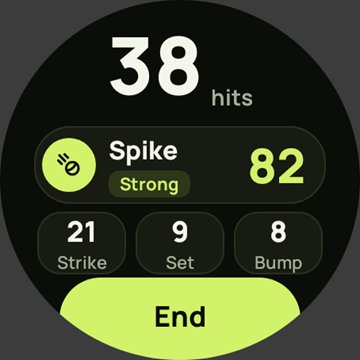
Demo video made with AI. Scores are examples.
<1 s
Hit type on your wrist
Shown right after each hit
9 in 10
Hits identified correctly
On players the model had never seen
2,000
Labelled hits
From 14 players, used to train Spikr
0
Uploads
No account, no server, no tracking
On your wrist
Spikr tells the main volleyball hits apart and gives each one a score, so you know what a good night looks like.
How fast your arm swings into the ball. Each hit is marked strong, typical or soft, compared with your own average.

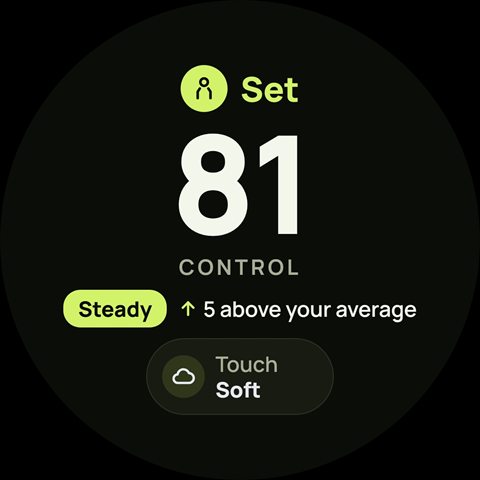
How still your hands stay as the ball leaves them. Quiet hands score higher.

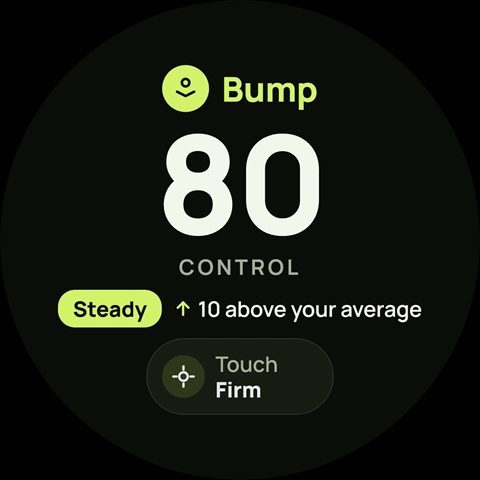
How steady your platform stays when the ball hits it. Less wobble, higher score.
On your phone
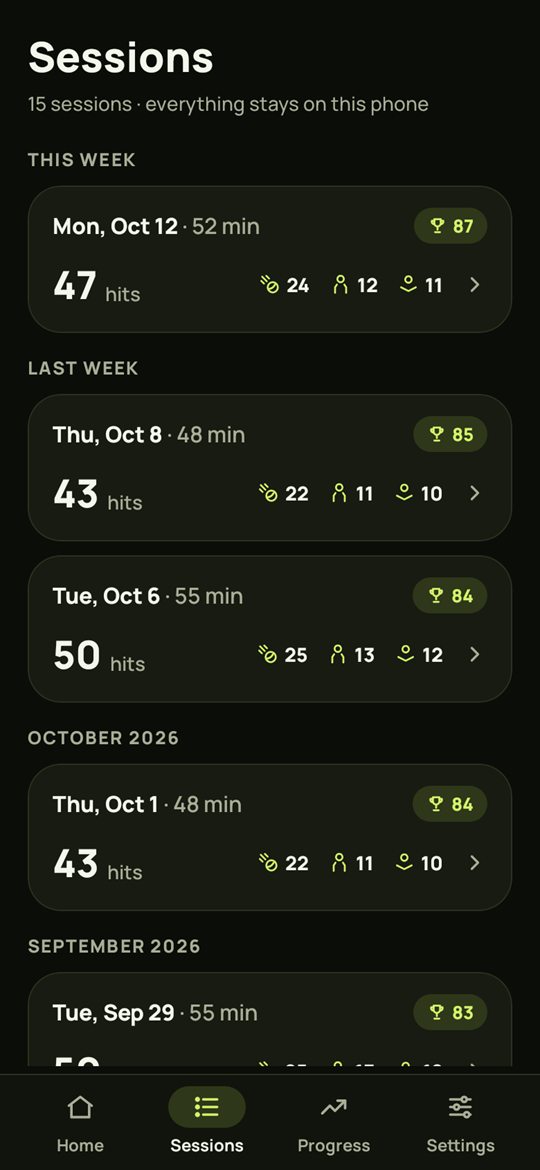
Tap End on the watch and the session moves to your phone. No typing, no stopwatch, no notebook.
The scores
Every hit gets a score from 0 to 100. Spikes and serves get Power. Sets and bumps get Control. The word next to the number compares the hit with your own average.
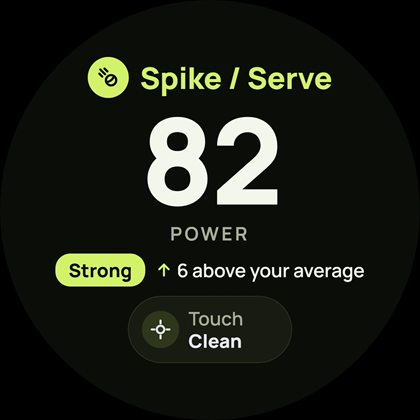
Power comes from how fast your arm swings into the ball. Same swing, less time: more Power.
Touch shows how sharp the contact was: dull, clean or crisp on a spike; soft, firm or hard on a set or bump.
Scores are estimates from wrist motion, made for tracking your own progress. Spikr can’t see your body or the ball, so it’s a training log and a power meter, not a coach.

How it works
Wear your Wear OS watch on the arm you hit with, open Spikr and tap Start.
After every hit the watch shows what it was and its score for a few seconds, with a short buzz if you want one.
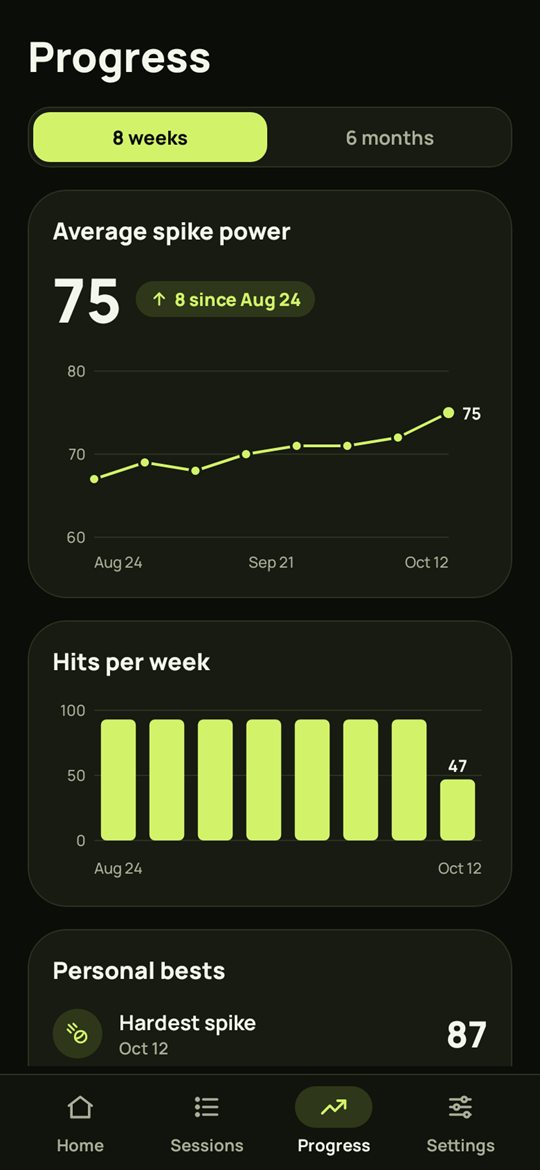
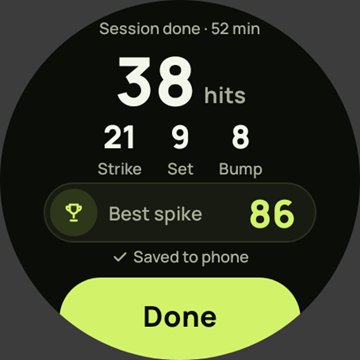
Tap End when you’re done. The session lands on your phone with every hit, your best spike and your trends.
Privacy
Spikr has no account and no server. The model runs on the watch itself, so your sessions stay on your watch and phone. Nothing is uploaded.
Read the privacy policy
Who it’s for
For indoor and beach players who train regularly and want real numbers: how many swings tonight, how hard, and whether they’re getting better month by month.
Not yet. Choose Apple Watch in the early-access form. If enough players ask, it’s next.
Count me inLearn about Spikr
Understand the setup, the scores and what your watch can measure.
See how Spikr uses a Wear OS watch to track volleyball hits, what a session looks like, and what wrist sensors can and cannot tell you.
Spikr watch requirements: Wear OS 3 or newer, motion sensors and a paired Android phone. Learn what has been tested and the current Apple Watch status.
Learn what Spikr’s 0–100 Power and Control scores measure, how to compare them, and why they are not ball speed or shot accuracy.
FAQ
Spikr runs on Wear OS watches that have an accelerometer and a gyroscope. It is built and tested on Samsung Galaxy Watch. You also need an Android phone paired with the watch.
Not yet. Apple Watch is next if enough players ask for it. Choose Apple Watch in the early-access form so we can count you.
In testing on players the model had never seen, Spikr identified about 9 out of 10 hits correctly. It was trained on around 2,000 hits from 14 players, labelled by hand from video.
No. Hits are detected on the watch, so your phone can stay in your bag. The session moves to your phone when you finish.
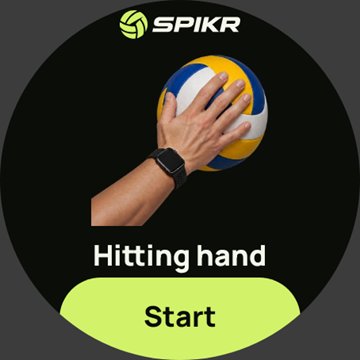
Your hitting hand. Spikr reads the motion of the arm that hits the ball, and you can tell the app whether that’s your left or your right.
Power, for spikes and serves, shows how fast your arm swings into the ball. Control, for sets and bumps, shows how still your hands or arms stay when you touch the ball. Both run from 0 to 100. See examples.
No, and we won’t pretend it does. A watch feels your wrist; it can’t see your body position or where the ball lands. Spikr is a training log and a power meter: it shows how much you hit and how hard, so you can watch yourself improve.
Yes. There is no Spikr account and no server. Your sensor data and sessions stay on your watch and phone, and nothing is uploaded. Read the privacy policy.
Spikr will be free to download, and the basics are free: it counts your hits and tells you the hit type. During Early Access, every feature is free until at least 1 March 2027. After that, scores and some other features will be part of an optional paid Pro plan, and we’ll tell you at least 14 days before. It’s coming to Google Play soon. Join early access and we’ll email you the day it’s out, or invite you to test it before then.
About
Hi, I’m Ali Taherifar. I’m a mechatronics engineer with more than 10 years of experience in motion sensors, signal processing, machine learning and embedded systems. In short: getting small devices to understand movement. I did postdoctoral research at Simon Fraser University, and I play volleyball in Canada.
After every practice I wondered the same thing: how many spikes did I hit tonight, and were they getting any harder? No app could tell me, so I put that experience to work. My teammates and I wore a Galaxy Watch at practice while we filmed, and we labelled about 2,000 hits by hand. The model I trained on them now runs right on the watch.
Spikr is the result: a simple, honest tool for players who want to see their own progress. Tell me what you’d like it to do next.

Early access
Leave your email and tell us which watch you wear. We’ll email you when Spikr is on Google Play, and we may invite you to test it first.
We’ll email you when Spikr is ready. Thanks for helping shape it.